uplink.show · camwall · beta
CamWall
Every camera on the rig in one window, about 30 ms behind the lens. Put it on air, and on the crew's phones.
CamWall is a native Mac app for live events and production rigs. It puts every camera on the show in one window with almost no delay, takes the program to air, and hands the pictures to crew phones with a link.
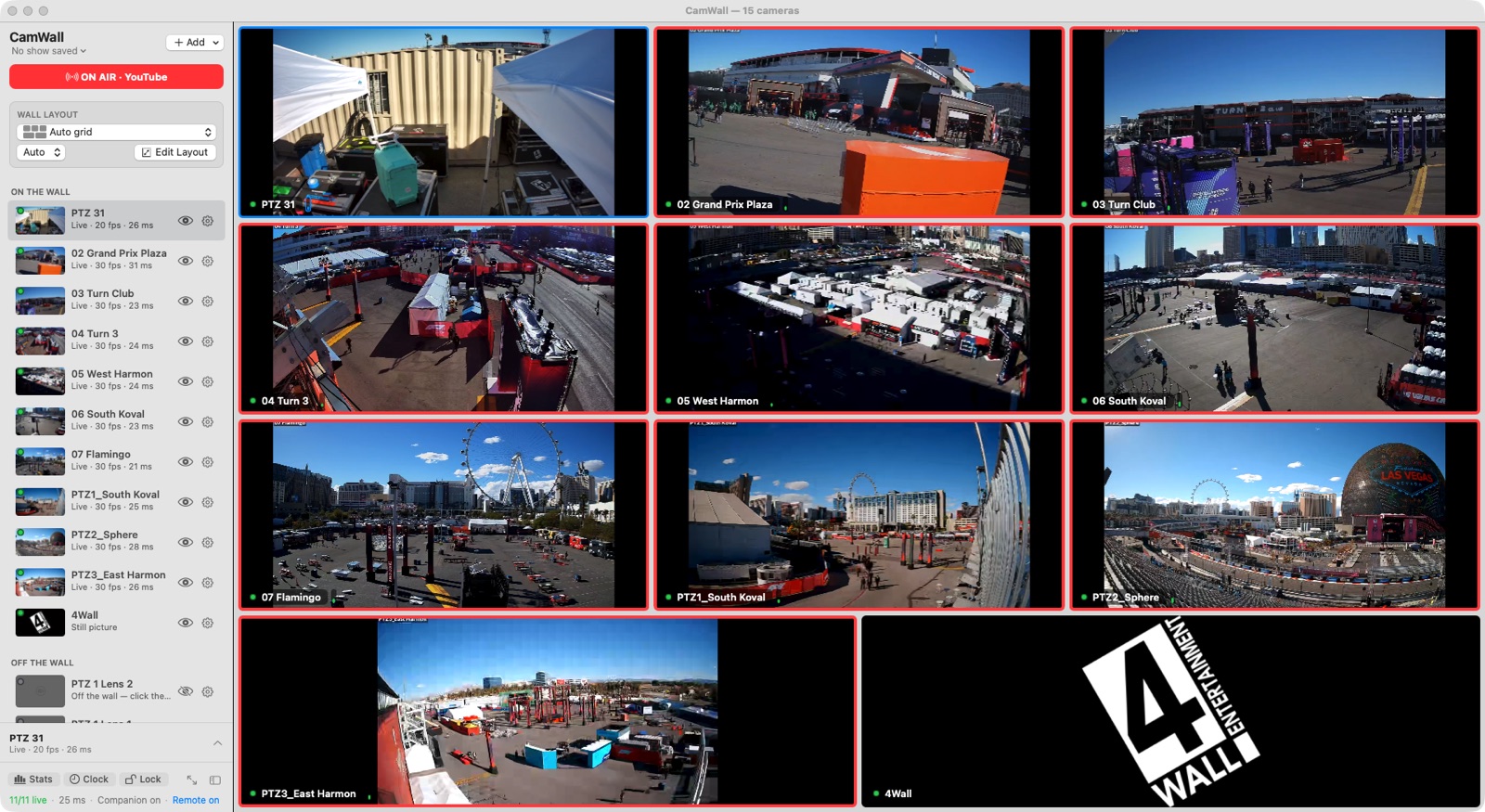
The wall Every camera, one window
Streams are decoded in hardware and drawn straight to the screen, so the wall sits about 30 ms behind the lens on a local network: close enough to call a cue from. Find cameras with a network scan or add them by address, then lay them out as an automatic grid or a template you drag into shape. Save the whole wall as a show and open it at the next venue.
- IP camerasRTSP and ONVIF, any brand
- UniFi Protectevery camera on the console, signed in once
- Robe RoboSpotthe follow-spot camera feeds
- NDIin from anything on the network, and out again per camera
- USB and capturewebcams and capture cards, anything macOS sees as a camera
- SRTwith encryption, for feeds that cross the internet
- MJPEG and stillsolder web cameras, logos and holding slides
- Video loopsa slate, sponsor loop or test pattern from a file, played on a loop
Pan, tilt, zoom
Drive PTZ cameras from the tile: ONVIF, Sony VISCA over IP, Reolink and UniFi. Store presets, run UniFi patrols, and send tally so the operator knows which camera is live.
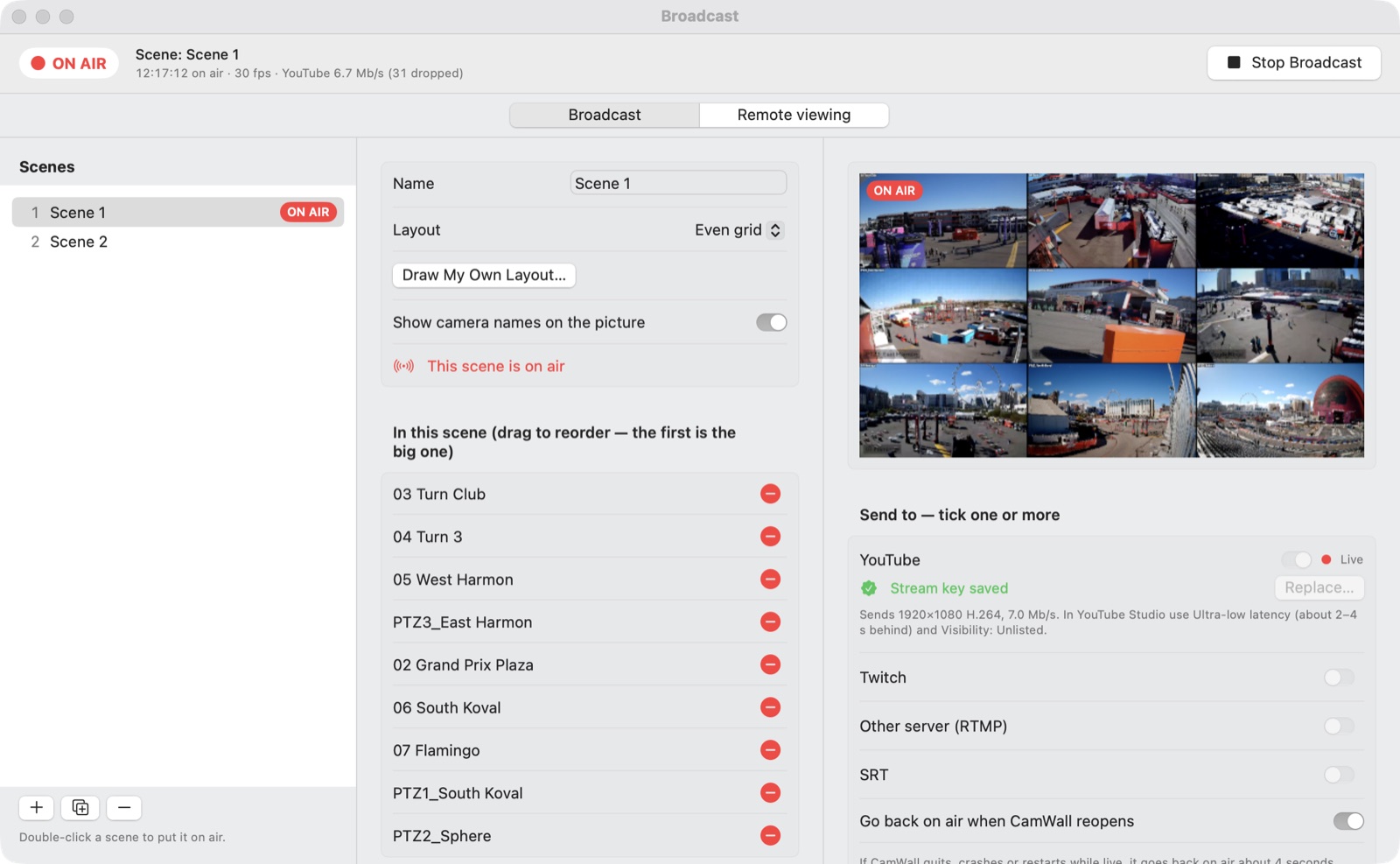
Broadcast Take it to air
The broadcast window is a small vision mixer. Build scenes from layouts and overlays, cut or fade between them, and send the program to as many destinations as you need at the same time. Record it while it goes out, and pull an instant replay when something happens.
- Scenesany layout of cameras, picture in picture, a full-screen hold
- Transitionscut or fade
- Overlayslogo, lower third and clock
- DestinationsYouTube, Twitch, any RTMP server, or SRT, several at once
- Restartsa stream that was live picks up again after a restart
- Recordingthe program to disk, with instant replay
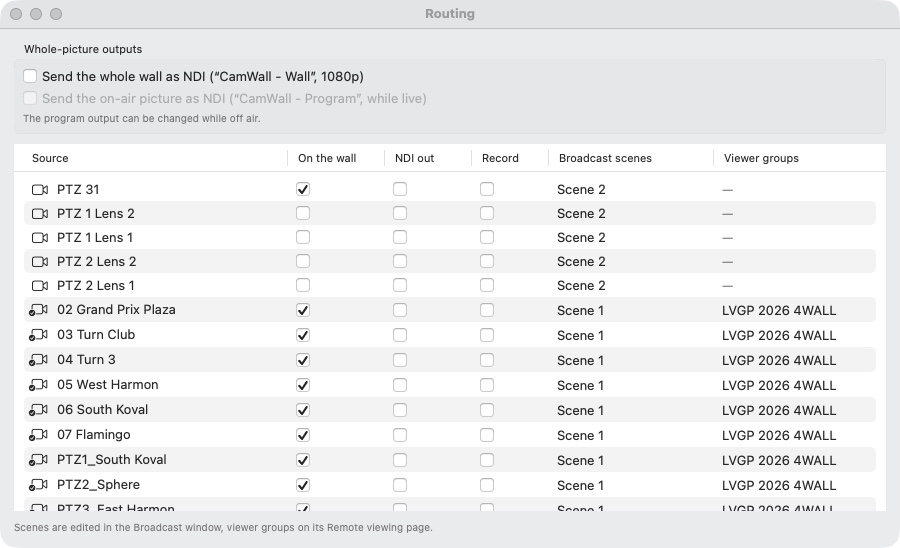
Routing
Window ▸ Routing shows every source and where it goes: the wall, NDI out, recording, broadcast scenes and viewer groups. The whole wall and the on-air picture can go out as NDI too.
Phones Hand the pictures to the crew
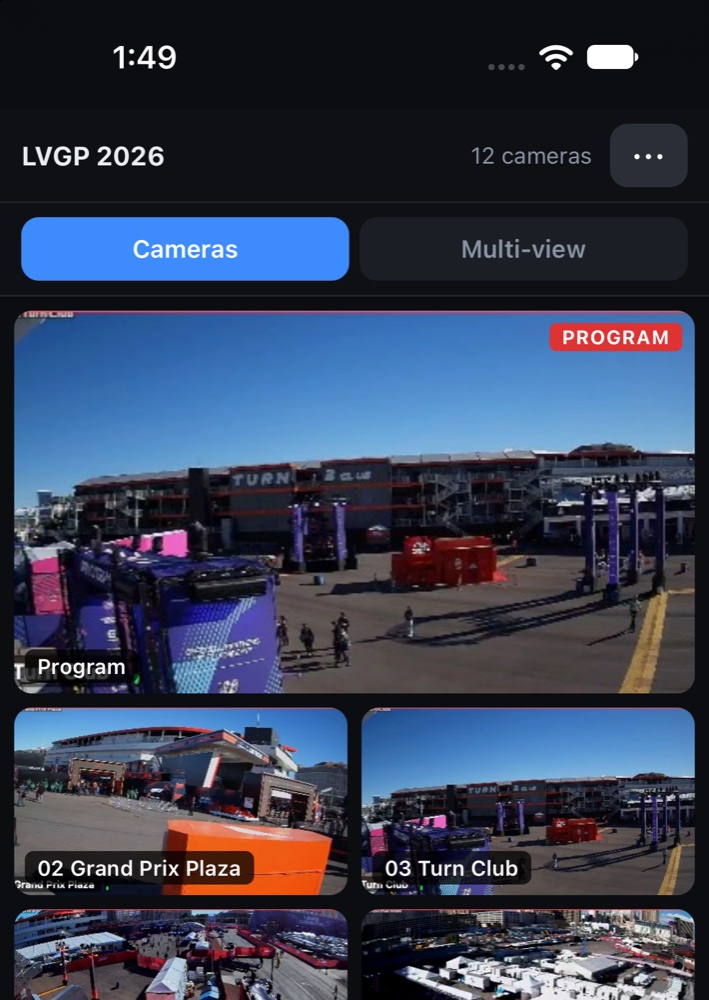
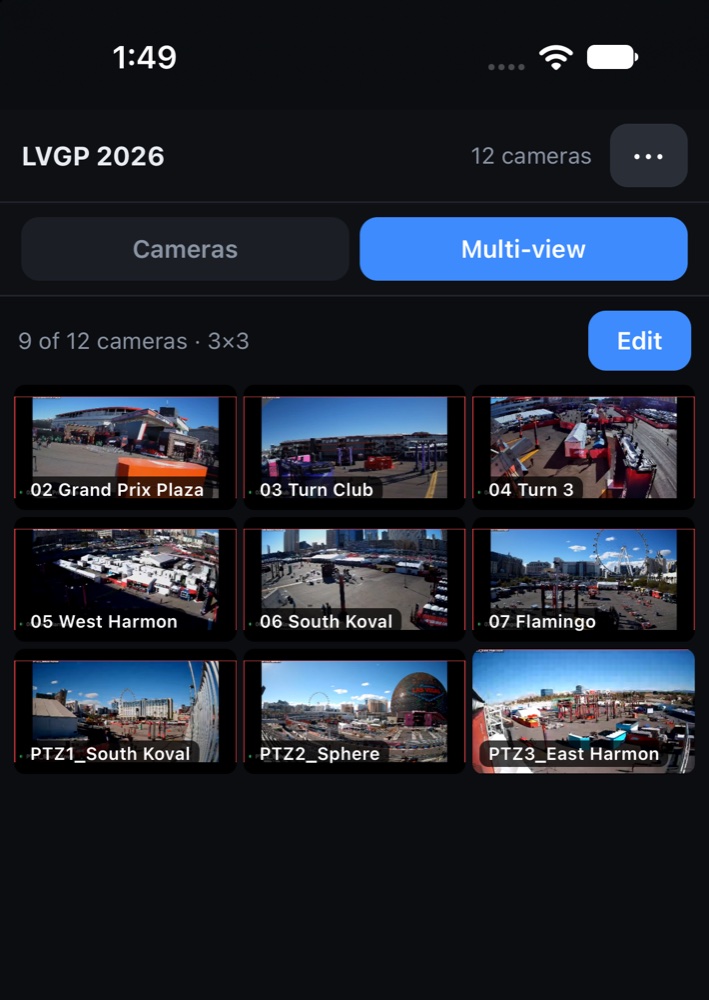
Share cameras with whoever needs them: the stage manager on comms, the rigger on the dock, the client in the green room. They open a link on their phone or laptop and sign in with their name. Nothing to install, and you can see who is watching.
- Private linkon your own network, straight from the Mac
- Public linkthrough a Cloudflare tunnel, for people who are not on site
- Access codesone per group of viewers, your own codes, with an expiry
- Camera cardsevery camera as a card; tap for full screen and pinch to zoom
- Multi-viewa grid each viewer arranges for themselves
- Programa tile with the on-air picture, for anyone who needs to see it
- No signala camera that drops says so, instead of a frozen picture
- From the operatora message banner on every screen, such as “back in 2 minutes”
- Computersthe same app laid out wide, with one-click full screen
Control Control and alerts
Run the wall from a Stream Deck, a show-control system or the keyboard, and let it tell you when something changes. ⌘K jumps to any camera by name; number keys put a camera full screen.
- Stream Deckthrough Bitfocus Companion
- OSC and HTTPan API for the rest of the show network
- Camera downan alert when a feed drops, and again when it is back
- MotionONVIF motion events
- Smart detectionsUniFi person, vehicle and the rest
- Webhookssend any alert on to the system you already watch
Requirements What it runs on
- System
- macOS 14 or laterSonoma, Sequoia and newer.
- Mac
- Apple silicon or IntelDecoding runs on the Mac's video hardware.
- Delay
- About 30 msLens to screen, on a local network.
- Price
- Free during the betaNo card, no trial clock.
Beta How the beta works
CamWall beta · now onboarding
Put it on your rig.
CamWall is in beta and free while it is. I bring testers on in small groups, so each one gets a direct line to the person who writes it.
Tell me what cameras you run and what the wall is for. Odd cameras are welcome: they are how the support list grows.
macOS 14+ · no card required · separate from the Cockpit and netmap betas
Questions Before you ask
Do I need uplink.show to share cameras?
No. The phone viewer runs from the Mac itself, on your own network, and nothing has to leave the building. For a public link, CamWall can use your own Cloudflare account, or a free quick link that needs no account at all.
Is it free?
Yes, for the whole beta. No card and no trial clock.
Does it work with my cameras?
Very likely. Anything that streams RTSP or speaks ONVIF works, which is most IP cameras. So do UniFi Protect, Robe RoboSpot, NDI, SRT, MJPEG web cameras, and anything macOS sees as a camera, like USB webcams and capture cards. Not sure? Name the model in the signup form, or write [email protected].
How close to live is it?
About 30 ms from lens to screen on a local network. The camera's own encoder adds its share, so a camera set up for low delay does best.
Is it part of the Uplink Cockpit?
No. CamWall is its own app with its own beta. The same Uplink account covers it, the Cockpit and netmap.
CamWall is a production monitoring tool, not a security or life-safety system. Test it on your rig before a show depends on it.